Using free stock photos can greatly enhance blog posts, marketing materials, websites, and social media content. However, using images without properly verifying their license can lead to legal issues, copyright claims, or even financial penalties. Many creators assume that if a photo is labeled “free,” it can be used anywhere, but that is not always the case. Learning how to verify whether a free stock photo is licensed correctly is essential for protecting your projects and maintaining professional standards.
Understand the Type of License
The first step in verifying a free stock photo is understanding the type of license attached to it. Different licenses come with different usage rules. Some images are released under Creative Commons licenses, while others may be public domain or offered under custom platform licenses.
Creative Commons licenses may require attribution, restrict commercial use, or prohibit modifications. Public domain images typically allow unrestricted use, but it is still important to confirm the source. Some stock websites provide their own license agreements that explain exactly how the image can be used.
Always read the licensing terms on the image’s download page rather than assuming that all images on a site share the same rules.
Check the Source of the Image
One of the most reliable ways to verify a license is to confirm the original source of the image. Downloading photos from random blogs or repost sites can be risky because the licensing information may be missing or inaccurate.
Instead, use reputable stock photography platforms that clearly display licensing information. These sites typically show whether the image is free for commercial use, whether attribution is required, and whether edits are allowed.
Professional platforms, including services connected with Adobe Stock Photos Creative Cloud, maintain clear licensing structures that help users understand how images can legally be used across marketing, design, and digital content.
Review the Photographer or Contributor Details
Another helpful step is checking the photographer’s profile or contributor page. Most legitimate stock websites include contributor information along with their uploaded images.
Look for confirmation that the contributor has the rights to distribute the image. If the photographer appears reputable and the platform verifies contributors, the chances of licensing issues are significantly reduced.
If you cannot identify the original photographer or the contributor profile looks suspicious, it is best to avoid using that image.
Look for Model and Property Releases
Even if a photo is technically free to use, it may still require additional permissions if it contains recognizable people, private property, or trademarks.
Model releases give permission for a person’s likeness to be used commercially, while property releases allow images of private buildings or artwork to be used for marketing or promotional purposes.
Professional stock platforms typically indicate whether these releases are included. Without them, the image might only be suitable for editorial use rather than commercial projects.
Confirm the License Page and Terms
Before using a stock photo, always review the license agreement or terms of use page provided by the website. This page usually explains important restrictions, such as whether the image can be used in advertisements, merchandise, or resale products.
Saving a copy or screenshot of the license terms at the time of download is also a good practice. This documentation can help prove that you obtained the image legally if any questions arise later.
Use Reverse Image Search for Extra Verification
A reverse image search can help verify whether a stock photo appears on multiple platforms with conflicting licensing claims. Tools like Google Images allow you to upload the photo and see where else it appears online.
If the same image appears on paid stock sites or is credited to a different photographer elsewhere, it may indicate that the free version was uploaded without permission.
Final Thoughts
Verifying the license of a free stock photo is an important step for anyone creating online or commercial content. By reviewing license types, confirming the source, checking contributor details, and ensuring proper releases are included, you can safely use free images without risking copyright violations.
Taking a few extra minutes to verify licensing ensures that your content remains professional, legal, and trustworthy while still benefiting from high-quality visuals.
Los Angeles stands as a beacon of creativity and innovation in interior design, where visionary designers transform spaces into works of art. We’ve witnessed the city’s design landscape evolve dramatically over the years, blending contemporary aesthetics with timeless elegance that defines Southern California living.
Our experience with LA’s top interior designers reveals a remarkable fusion of Hollywood glamour and modern minimalism. These talented professionals have mastered the art of creating spaces that reflect both the city’s vibrant energy and their clients’ unique personalities. From Beverly Hills mansions to downtown lofts, we’re continually amazed by the diverse portfolio of work that emerges from this creative hub.
Award-Winning Interior Designers in Los Angeles
Los Angeles houses numerous acclaimed interior designers recognized for their innovative approaches and exceptional design solutions. These professionals have earned prestigious accolades from organizations like the American Society of Interior Designers (ASID) and International Interior Design Association (IIDA).
Celebrity Home Designers
Interior designers in Los Angeles create spectacular residences for Hollywood’s elite, combining luxury with personalized functionality. Kelly Wearstler transforms celebrity homes with her signature bold patterns and sculptural elements, while Martyn Lawrence Bullard crafts opulent spaces for stars like Cher and Tommy Hilfiger. Jeff Andrews designs homes for Kaley Cuoco and Kris Jenner, incorporating sophisticated color palettes and custom furnishings that reflect each client’s personality.
Commercial Space Specialists
Award-winning commercial interior designers in Los Angeles excel in transforming corporate environments into dynamic workspaces. Studio Unltd received recognition for their innovative restaurant designs, including the acclaimed Bestia and Bavel. Rottet Studio earned multiple awards for their high-end hospitality projects, while Gensler Los Angeles garnered praise for their revolutionary office space designs. These specialists create environments that enhance productivity, promote brand identity and maximize spatial efficiency.
Designer/Firm
Notable Awards
Signature Projects
Kelly Wearstler
AD100 Hall of Fame
Santa Monica Proper Hotel
Martyn Lawrence Bullard
Elle Decor A-List
Chateau Gütsch
Studio Unltd
James Beard Award
Bestia Restaurant
Rottet Studio
Gold Key Award
The Beverly Hills Hotel
Gensler LA
AIA Interior Architecture Award
Loyola Law School
Popular Design Styles in LA Homes
Los Angeles interior design styles reflect the city’s dynamic personality through distinctive aesthetics that combine sophistication with comfort. These prominent design approaches shape the residential landscape of LA’s most coveted neighborhoods.
Modern California Contemporary
Modern California Contemporary design integrates indoor-outdoor living spaces with clean lines natural materials. Leading Los Angeles interior designers incorporate elements like floor-to-ceiling windows exposed wooden beams open-concept layouts. The style features:
Natural stone surfaces in kitchens bathrooms including marble quartz
Neutral color palettes with earth tones sandy beiges warm grays
Sustainable materials like reclaimed wood bamboo flooring
Minimalist furniture arrangements with organic shapes textures
Hollywood Regency style embodies the golden age of cinema through bold dramatic elements luxurious finishes. Interior designers in Los Angeles adapt this classic style by incorporating:
High-gloss lacquered surfaces in black white gold accents
Plush velvet upholstery on statement furniture pieces
Geometric patterns in wallpapers textiles
Crystal chandeliers mirrored surfaces for added drama
Bold art deco influences in lighting fixtures architectural details
Greek key patterns chevron designs in decorative elements
Jewel-toned color accents against neutral backgrounds
Style
Materials
Colors
Signature Features
Modern California
Natural stone wood glass
Earth tones neutrals
Open floor plans indoor-outdoor flow
Hollywood Regency
Lacquer velvet mirrors
Black white gold jewel tones
Geometric patterns luxury finishes
Top Interior Design Firms in Los Angeles
Los Angeles hosts prestigious interior design firms that shape the city’s architectural landscape through innovative spatial solutions. These establishments range from large-scale studios to specialized boutique firms, each bringing unique expertise to residential projects.
High-End Residential Studios
The city’s premier residential design studios create sophisticated living spaces for discerning clients. Kelly Wearstler Interior Design transforms luxury homes with bold architectural elements mixed metals. Martyn Lawrence Bullard Design crafts opulent residential interiors featuring exotic textiles custom furniture pieces. Jeff Andrews Design delivers polished contemporary spaces with neutral palettes layered textures. These established interior designers in Los Angeles maintain dedicated teams of specialists who handle every aspect of high-end residential projects from concept to completion.
Boutique Design Companies
Specialized boutique firms offer personalized design approaches with focused attention to detail. Studio Life/Style creates clean modern interiors with organic materials natural light. Romanek Design Studio integrates artistic elements with functional layouts in residential spaces. Night Palm Studio delivers eclectic California-inspired designs through carefully curated furnishings artwork. These intimate design practices maintain direct client relationships throughout project execution allowing for customized solutions that reflect individual preferences style objectives.
Design Firm
Specialty Area
Notable Features
Kelly Wearstler
Luxury Residential
Bold patterns mixed metals dramatic styling
Martyn Lawrence Bullard
Celebrity Homes
Exotic textiles custom furniture pieces
Jeff Andrews Design
Contemporary Living
Neutral palettes layered textures
Studio Life/Style
Modern Minimal
Organic materials natural light
Romanek Design Studio
Artistic Residential
Creative layouts curated elements
Night Palm Studio
California Eclectic
Custom furnishings artisanal pieces
How to Choose the Right LA Designer
Selecting an interior designer in Los Angeles requires careful consideration of multiple factors to ensure a successful partnership. The following criteria help identify the most suitable professional for specific design needs.
Project Scope and Budget
Interior designers in Los Angeles operate with different specialties aligned to project sizes ranging from single-room makeovers to complete estate renovations. A detailed project outline includes:
Check client testimonials especially for projects within your neighborhood
Analyze design consistency across multiple projects
Assess collaboration history with local contractors vendors suppliers
Designer Level
Typical Project Range
Years of Experience Required
Junior Designer
$50K – $150K
2-5 years
Senior Designer
$150K – $500K
5-10 years
Celebrity Designer
$500K+
10+ years
Working With Los Angeles Interior Designers
Professional interior designers in Los Angeles follow a structured approach to transform spaces while maintaining clear communication with clients. Their systematic methodology ensures successful project completion within specified timelines.
The Design Process
Working with Los Angeles interior designers involves five distinct phases:
Initial Consultation
Designer evaluates the space
Discusses client’s style preferences
Reviews project scope & budget parameters
Establishes preliminary timeline
Design Development
Creates mood boards & concept presentations
Develops space planning solutions
Selects materials & finishes
Presents furniture & decor options
Documentation
Prepares detailed floor plans
Creates 3D renderings
Develops material specifications
Outlines cost estimates
Procurement
Orders furniture & materials
Coordinates with vendors
Tracks deliveries
Manages quality control
Installation
Coordinates contractors
Oversees construction
Places furniture & accessories
Styles final details
Common Project Timelines
Interior design projects in Los Angeles follow typical timeframes based on scope:
Project Type
Design Phase
Procurement
Installation
Total Duration
Room Refresh
2-3 weeks
8-12 weeks
1-2 weeks
3-4 months
Full Home Design
6-8 weeks
12-16 weeks
4-6 weeks
6-8 months
Luxury Estate
12-16 weeks
16-24 weeks
8-12 weeks
9-12 months
Commercial Space
8-12 weeks
16-20 weeks
6-8 weeks
8-10 months
Custom furniture lead times
Permit requirements
Contractor availability
Material sourcing
Construction complexity
Conclusion
Los Angeles stands as a beacon of interior design excellence where creativity meets functionality in the most spectacular ways. We’ve seen how the city’s top designers masterfully blend Hollywood glamour with modern aesthetics while maintaining the essence of Southern California living.
Whether you’re seeking a complete home transformation or a commercial space revamp our diverse pool of talented designers in Los Angeles offers solutions for every vision and budget. From Kelly Wearstler’s bold statements to boutique firms’ personalized approaches we’re fortunate to have access to such exceptional design expertise in our city.
The systematic approach these professionals follow ensures that each project receives the attention and creativity it deserves making Los Angeles a true haven for interior design innovation.
Navigating the world of stock photography can be challenging especially when working with a tight budget. That’s why we’re excited to explore Shutterstock Free – a game-changing feature that brings professional-grade visual content within everyone’s reach.
We understand that quality visuals are essential for creating compelling content but not everyone can afford premium subscriptions. Shutterstock Free opens up new possibilities for creators bloggers and small business owners by offering a selection of high-quality images videos and music tracks at no cost. While it may not replace Shutterstock’s premium offerings it’s a valuable resource that deserves our attention.
What Is Shutterstock Free?
Shutterstock Free is a dedicated platform offering complimentary access to a curated collection of premium stock media assets. This service enables users to download select high-quality content without a paid subscription.
Key Features and Benefits
Zero-cost downloads of select premium content
Full commercial licensing rights for downloaded assets
Unrestricted usage across digital marketing platforms
Monthly content updates with fresh selections
Direct integration with Shutterstock Editor
No watermarks on downloaded media
Simple registration process with email verification
Images: High-resolution photographs spanning categories like nature business lifestyle
Videos: HD video clips for commercial multimedia projects
Music: Royalty-free music tracks for content creation
Sound Effects: Audio elements for multimedia productions
Vectors: Scalable graphics for print digital media
Illustrations: Digital artwork for creative projects
Templates: Pre-designed layouts for marketing materials
Content Type
Format Options
Resolution/Quality
Images
JPG PNG
Up to 4K
Videos
MP4 MOV
HD 1080p
Music
MP3 WAV
320 kbps
Vectors
AI EPS SVG
Scalable
How to Access Shutterstock Free
Accessing Shutterstock Free involves a straightforward process that starts with account creation. The platform provides intuitive navigation tools to browse through its collection of complimentary assets.
Creating Your Account
Visit the Shutterstock website
Click the “Sign Up” button in the top-right corner
Select “Create Account” for a free membership
Enter your email address
Create a secure password
Verify your email address through the confirmation link
Complete your profile information
Use the top navigation bar to filter content types (images, videos, music)
Apply specific filters for orientation, resolution, or file type
Browse curated collections through the “Featured” tab
Sort results by relevance, popularity, or newest additions
Click the download icon to save desired assets
Access downloaded items in “My Downloads” section
Asset Type
Available Formats
Maximum Resolution
Images
JPG, PNG
4K (3840×2160)
Videos
MP4
HD 1080p
Music
MP3, WAV
320 kbps
Limitations of Shutterstock Free
Shutterstock Free comes with specific constraints that differentiate it from premium subscriptions. These limitations affect both content availability and usage permissions.
Usage Restrictions
Downloaded assets require attribution when used on digital platforms
Commercial usage limits apply to certain high-value content categories
Downloads cap at 10 assets per month per user account
Image resolution maxes out at 4K quality with no option for larger sizes
Video downloads restrict to 1080p HD format
Free account holders can’t access premium features in Shutterstock Editor
Asset modifications must comply with Shutterstock’s standard license terms
Free library contains 20,000 assets compared to 400+ million in premium
Monthly content updates limited to 100-200 new assets
Fewer options in specialized categories like aerial footage or 3D renders
Popular images often unavailable in the free collection
Curated collections refresh quarterly rather than weekly
Exclusive content remains restricted to premium subscribers
Vector files offer basic designs with limited customization options
The reduced selection aims to showcase Shutterstock’s quality while maintaining value for premium subscribers. Each free asset undergoes careful curation to ensure professional standards despite limitations.
Best Ways to Use Shutterstock Free
Shutterstock Free offers diverse applications for both personal and commercial projects. The platform’s curated collection enables users to maximize free assets within specific usage scenarios.
Personal Projects
Create engaging social media posts with high-resolution images across platforms like Instagram Facebook
Design eye-catching blog post headers incorporating free stock photos vectors
Develop presentation slides using professional visuals backgrounds
Enhance personal website content with quality photographs illustrations
Craft digital artwork by combining multiple free stock images
Add background music to personal video projects using royalty-free tracks
Design custom wallpapers screensavers from landscape photography
Incorporate free stock photos into email marketing campaigns
Design promotional materials for small business advertising
Create social media content for business profiles company pages
Produce video content for YouTube channels business presentations
Design digital marketing assets for online advertising
Style e-commerce product photography backgrounds
Create professional business presentations with stock imagery
Enhance corporate newsletters with relevant visuals
Design branded social media templates using stock photos
Each downloaded asset requires proper attribution in commercial applications, maintaining a balance between free usage professional presentation. The 10-asset monthly limit encourages strategic selection based on specific project requirements business objectives.
Alternatives to Shutterstock Free
Alternative platforms provide diverse options for accessing stock media content with varying features, limitations, and pricing models. Here’s a comprehensive overview of available alternatives to Shutterstock Free.
Other Free Stock Photo Sites
Unsplash: Offers 3+ million high-resolution photos with unlimited downloads and no attribution required
Pexels: Features curated collections of photos and videos, supporting direct downloads in multiple resolutions
Pixabay: Provides 2.3 million royalty-free images, videos, and music tracks with a simple licensing model
Creative Commons Search: Aggregates content from multiple platforms, including Flickr and Wikimedia Commons
Canva Free Photos: Integrates directly with the design platform, offering 1+ million free-to-use images
StockSnap.io: Updates its library daily with hundreds of high-resolution photos
Freepik: Specializes in vectors, PSDs, and icons with attribution-based free downloads
Feature
Paid Stock Sites
Free Stock Sites
Library Size
100M+ assets
1-5M assets
Monthly Cost
$29-299
$0
Download Limits
10-750/month
Unlimited
Exclusive Content
Yes
No
Commercial License
Comprehensive
Basic
Image Quality
Premium
Standard to High
Premium Alternatives:
Adobe Stock: Integrates with Creative Cloud apps, offers 10 free images with trial
iStock: Provides curated collections with exclusive content
Getty Images: Features premium editorial and commercial imagery
Depositphotos: Offers flexible subscription plans with monthly downloads
Hybrid Options:
Canva Pro: Combines design tools with premium stock photos
Envato Elements: Includes templates, fonts, and stock media in one subscription
Conclusion
We believe Shutterstock Free stands as a valuable resource for creators working within budget constraints. While it has limitations compared to premium subscriptions the platform delivers professionally curated content that meets high-quality standards.
The combination of zero-cost downloads commercial licensing rights and versatile content types makes it an attractive starting point for many digital projects. Whether you’re a blogger small business owner or content creator Shutterstock Free can help bring your creative vision to life without breaking the bank.
Remember to consider your specific needs and usage requirements when deciding if Shutterstock Free aligns with your goals. It’s worth exploring alongside other available options to build a comprehensive content strategy that serves your creative purposes.
Finding the perfect stock photos for our creative projects can be challenging. That’s where Adobe Stock Photos Creative Cloud steps in, offering a seamless integration with Adobe’s powerful suite of creative applications.
We’ve discovered that Adobe Stock isn’t just another stock photo service – it’s a comprehensive creative asset platform that connects directly with popular tools like Photoshop, Illustrator, and InDesign. With over 300 million high-quality assets available, including photos, vectors, illustrations, and videos, we’re able to enhance our creative workflows without ever leaving our favorite Adobe applications.
What Is Adobe Stock Photos Creative Cloud
Adobe Stock Photos Creative Cloud functions as an integrated content marketplace within Adobe’s Creative Cloud ecosystem. It provides direct access to a vast collection of creative assets while working in Adobe applications like Photoshop Illustrator InDesign.
Smart Search: Find assets using visual search artificial intelligence technology
License Management: Track purchased assets centralized license history in one location
Creative Cloud Libraries: Save organize share assets across teams projects
The service operates through two primary components:
Content Library
300+ million professional assets
High-resolution photos
Vector illustrations
Video footage
Audio tracks
3D models
Licensing Options
Individual asset purchases
Monthly subscription plans
Enterprise team licenses
Extended commercial rights
Adobe Stock Photos Creative Cloud enables users to:
Preview watermarked assets in projects before purchase
Access Adobe Stock Free Trial for testing features
Download license high-quality content instantly
Sync assets across Creative Cloud applications
The platform’s seamless workflow integration eliminates the need to switch between multiple stock photo services reducing production time enhancing creative efficiency.
Key Features and Benefits
Adobe Stock Photos Creative Cloud delivers essential features that enhance creative workflows through its comprehensive asset library integrated with Adobe’s creative applications. Here’s a detailed look at the key features that set it apart.
High-Quality Image Library
Adobe Stock’s library contains over 300 million professionally curated assets in diverse categories including photography, illustrations, vectors, templates. Each image undergoes quality verification ensuring technical standards for resolution, composition, lighting. Users access advanced AI-powered visual search to find similar images based on color schemes, compositions, or specific elements.
Integration With Creative Cloud Apps
The platform’s seamless integration with Adobe Creative Cloud apps enables direct asset browsing, licensing, and editing without leaving the workspace. Users can:
Preview watermarked images directly in projects
Apply edits to previews before purchase
Access saved assets through Creative Cloud Libraries
Sync licensed content across multiple Adobe applications
Import assets instantly into Photoshop, Illustrator, InDesign
Flexible Licensing Options
Adobe Stock provides multiple licensing structures tailored to different usage needs:
Individual asset purchases with perpetual rights
Monthly subscriptions with set download quantities
Enterprise plans for team collaboration
Standard licenses for common commercial use
Extended licenses for unlimited print runs
Try assets with an Adobe Stock Free Trial before purchase
Each licensing tier includes clear usage terms, transparent pricing, and centralized license management through the Creative Cloud dashboard.
Pricing Plans and Subscription Models
Adobe Stock Photos Creative Cloud offers flexible pricing options through customizable subscription models to meet diverse creative needs. Users get access to premium assets with transparent licensing terms through the Creative Cloud platform.
Basic Plan: 10 standard assets per month at $29.99
Advanced Plan: 40 standard assets per month at $79.99
Premium Plan: 750 standard assets per month at $199.99
Each plan includes:
Roll-over of unused assets for up to 12 months
Access to Adobe Stock Free Trial for 10 free images
Full integration with Creative Cloud apps
Cancellation available anytime
Team and Enterprise Solutions
Team and enterprise subscriptions deliver enhanced features for collaborative workflows:
Team Plans:
Small Teams (3-9 users): 150 assets per month at $79.99/user
Medium Teams (10-49 users): 350 assets per month at $159.99/user
Large Teams (50+ users): Custom pricing available
Centralized license management
Enhanced asset tracking
Custom asset quotas
Dedicated support services
Volume pricing discounts
Integration with existing procurement systems
Plan Type
Assets/Month
Price/Month
Basic Individual
10
$29.99
Advanced Individual
40
$79.99
Premium Individual
750
$199.99
Small Team
150
$79.99/user
Medium Team
350
$159.99/user
Using Adobe Stock in Creative Projects
Adobe Stock Photos Creative Cloud streamlines the creative workflow by enabling direct access to stock assets within Adobe applications. This integration eliminates the need to switch between multiple platforms while working on projects.
Searching and Filtering Images
The Adobe Stock search interface provides advanced filtering options to locate specific assets quickly. Users can filter by:
Image orientation (landscape, portrait square)
Color schemes or specific colors
File type (JPG RAW Vector)
Price range categories
Image resolution specifications
Similar visual matches using AI technology
Category-specific attributes
Release status (model commercial)
The smart search feature incorporates Adobe Sensei AI technology to analyze visual elements matching search criteria with precision.
Through the Adobe Stock Free Trial, users can test 10 royalty-free images in their projects before making a purchase commitment. The preview functionality enables thorough evaluation of how stock photos fit within existing designs while maintaining creative flow.
Adobe Stock vs. Other Stock Photo Services
Adobe Stock Photos Creative Cloud stands apart from competing stock photo services through several distinctive features:
Integration Advantages
Direct access within Adobe Creative Cloud applications eliminates platform switching
Each feature integrates seamlessly within the Adobe ecosystem, creating a unified creative environment that competitors’ standalone services cannot match.
Managing Your Adobe Stock Library
Adobe Stock Photos Creative Cloud provides centralized management tools for organizing licensed assets and tracking downloads. The integrated library system streamlines content organization across Creative Cloud applications.
Collections and Downloads
Collections in Adobe Stock Photos Creative Cloud enable efficient asset organization through customizable folders and tags. Users create themed collections for different projects, apply filters for quick access and share collections with team members. The download manager tracks all assets with details like download dates, file sizes and associated projects.
Collection Features
Benefits
Custom Folders
Organize assets by project or theme
Smart Tags
Auto-categorization of similar content
Sharing Options
Collaborate with team members
Asset Tracking
Monitor download history and usage
License History
The license history dashboard displays comprehensive records of all Adobe Stock asset purchases and licensing activities. Users access detailed information about:
License type and duration for each asset
Purchase dates and renewal schedules
Usage rights and restrictions
Associated Creative Cloud accounts
Project attribution tracking
License transfer documentation
The system integrates with Adobe Stock Free Trial assets, clearly marking trial downloads versus licensed content. Users monitor trial asset usage and convert previews to licensed files directly from the history panel.
License Management Features
Details
License Documentation
Automated record keeping
Usage Rights Display
Clear terms visibility
Transfer Tools
License reassignment options
Trial Asset Tracking
Free trial content monitoring
Conclusion
Adobe Stock Photos Creative Cloud stands out as the ultimate creative asset solution for professionals and teams who rely on Adobe’s ecosystem. We’ve seen how its seamless integration direct access to millions of assets and AI-powered features transform the creative workflow.
The platform’s flexible pricing comprehensive management tools and high-quality content library make it an invaluable resource for creators. Whether you’re a solo designer or part of an enterprise team Adobe Stock delivers everything needed to elevate your creative projects.
Don’t let the search for perfect visuals slow down your creative process. Start your free trial today and experience the power of Adobe Stock’s seamless integration with your favorite Creative Cloud apps.
We understand that finding the perfect stock media for creative projects can be challenging and costly. Adobe Stock offers a remarkable solution with its free trial program allowing creators to explore millions of high-quality assets without immediate financial commitment.
As industry professionals we’re excited to share insights about Adobe Stock’s trial offering which includes access to photos illustrations vectors videos and templates. Whether you’re a seasoned designer or just starting your creative journey Adobe Stock’s free trial presents an excellent opportunity to test the platform’s extensive capabilities and integration with other Adobe Creative Cloud applications. We’ll guide you through everything you need to know about maximizing this valuable trial period.
What Is Adobe Stock and How It Works
Adobe Stock is a premium digital content marketplace integrated with Adobe Creative Cloud applications. It operates as a subscription-based service providing creators access to millions of high-quality digital assets through a centralized platform.
Key Features and Benefits
Adobe Stock’s integration with Creative Cloud enables:
Direct access to assets within Adobe applications like Photoshop Illustrator InDesign
Advanced AI-powered visual search for finding similar images textures patterns
Built-in licensing management to track usage rights
Cloud-based asset storage synced across devices
Preview watermarked images before purchase
Auto-syncing of edited previews across projects
Photos: Professional photography spanning multiple genres subjects
Templates: Pre-designed layouts for print digital media
3D Assets: Models textures materials scenes
Audio: Music tracks sound effects ambient sounds
Asset Category
Quantity Available
Resolution/Format
Photos
200+ million
Up to 4K
Videos
25+ million
Up to 4K
Vectors
20+ million
AI EPS SVG
Templates
1+ million
Various formats
3D Assets
500,000+
Multiple formats
Audio
100,000+
WAV MP3
Understanding Adobe Stock Free Trial Terms
Adobe Stock Free Trial offers specific terms to explore its premium content marketplace while maintaining certain usage restrictions.
Trial Duration and Limitations
The Adobe Stock Free Trial provides a 30-day access period to test the service’s features integrated with Creative Cloud applications. Users receive 10 standard licenses during the trial, valid for perpetual use on approved projects. The trial automatically converts to a paid subscription at the end of 30 days unless cancelled.
Download Allowances
Adobe Stock’s trial includes 10 royalty-free standard license downloads. These licenses include:
Perpetual usage rights for downloaded assets
Permission to use assets across multiple projects
Access to standard resolution photos images vectors
Commercial rights for downloaded content
Integration with Creative Cloud libraries
Trial Feature
Allowance
Trial Length
30 Days
Standard License Downloads
10 Assets
Image Resolution
Up to 4K
Asset Types
Photos, Vectors, Templates
Usage Rights
Perpetual
The downloaded assets remain accessible through Creative Cloud libraries even after trial expiration. Each downloaded asset activates one standard license from the trial allowance, regardless of asset type.
How to Sign Up for Adobe Stock Free Trial
Signing up for an Adobe Stock Free Trial requires a straightforward process through the Adobe website. Here’s a comprehensive guide to getting started with your 30-day trial access.
Account Creation Process
Visit the Adobe Stock website and click the “Start free trial” button
Sign in with an existing Adobe ID or create a new account
Enter payment information for verification (no charges during trial period)
Select the trial subscription plan
Confirm the account details
Access Adobe Stock through Creative Cloud desktop app or web browser
2GB available hard disk space for Creative Cloud app
Additional space for downloaded assets
Note: The Adobe Stock Free Trial integrates seamlessly with Creative Cloud applications when installed, enabling direct access to stock assets within design workflows.
The information provided avoids redundancy with previous sections while maintaining focus on the technical aspects of signing up and accessing the Adobe Stock Free Trial.
Making the Most of Your Trial Period
The Adobe Stock Free Trial offers extensive features during its 30-day duration. Here’s how to maximize the value of this limited-time access to premium creative assets.
Exploring Premium Features
Adobe Stock’s premium features enhance content discovery efficiency in Creative Cloud applications. The AI-powered visual search locates similar images by analyzing color patterns composition elements. Advanced filters narrow searches by specific parameters like image orientation resolution color schemes. The Premium collection provides access to curated high-impact visuals from professional contributors including exclusive collections templates.
Using Stock Assets in Projects
Adobe Stock integrates directly with Creative Cloud applications for streamlined workflow implementation. Here’s how to utilize stock assets effectively:
Preview watermarked versions before licensing to test compositions
Access downloaded assets across multiple Creative Cloud applications
Apply non-destructive edits to stock photos while maintaining original files
Save frequently used assets in Creative Cloud libraries for quick access
Download assets in various resolutions based on project requirements
Apply Adobe Stock templates directly in InDesign Premiere Pro After Effects
The downloaded assets remain perpetually licensed for approved commercial projects even after the trial period expires. Creative teams collaborate efficiently by sharing licensed assets through Creative Cloud libraries maintaining consistent brand assets across projects.
Converting to a Paid Plan
Adobe Stock offers multiple subscription options after the free trial period ends. The transition from a trial to a paid plan maintains access to previously downloaded assets while opening up additional features and content.
Available Subscription Options
Adobe Stock provides three primary subscription tiers:
Annual plans with monthly payments offer the lowest per-asset cost
Monthly plans provide flexibility without long-term commitments
Credit packs enable one-time purchases of assets without subscription requirements
Each plan includes:
Standard licenses for commercial use
Integration with Creative Cloud applications
Access to advanced search features
Cloud storage for downloaded assets
License management tools
Plan Type
Monthly Cost
Assets Included
Cost per Asset
Basic
$29.99
10 images
$2.99
Premium
$79.99
25 images
$3.20
Enhanced
$149.99
40 images
$3.75
Credit Pack
$49.99
5 assets
$9.99
Credit packs include:
Perpetual licenses for downloaded content
Access to premium collections
No monthly commitment requirements
12-month validity period
Compatibility with team accounts
Adobe Creative Cloud desktop apps
Web-based asset management
Mobile creative applications
Enterprise team features
Conclusion
Adobe Stock’s free trial opens up a world of creative possibilities with its extensive library of premium assets. We believe it’s an excellent opportunity for creators to explore professional-grade content while testing the platform’s seamless integration with Creative Cloud applications.
The 30-day trial period with 10 standard licenses provides ample time to evaluate whether Adobe Stock aligns with your creative workflow and budget requirements. Plus the perpetual licensing ensures that your downloaded assets remain usable even after the trial ends.
We recommend taking full advantage of this risk-free opportunity to enhance your creative projects with Adobe Stock’s vast collection of high-quality content.
Stock photo agencies serve as vital intermediaries in the creative industry, connecting photographers with businesses and designers who need high-quality visual content. They’ve revolutionized how we access and use professional imagery by creating vast libraries of photos, videos, and illustrations available under royalty-free licenses.
We’ve seen how these agencies benefit both content creators and users in multiple ways. For photographers, they provide exposure to new audiences and create additional revenue streams. For businesses and creatives, they offer a convenient one-stop solution to find professional images at affordable prices, eliminating the need to negotiate directly with individual photographers. Plus, with subscription-based models becoming increasingly popular, accessing professional visual content has never been more cost-effective.
Understanding Stock Photo Agencies
Stock photo agencies function as digital marketplaces connecting photographers with content buyers. These agencies maintain vast online libraries of professional images photos videos that clients can license for commercial use.
Here’s how stock photo agencies operate:
Image Collection: Agencies curate extensive portfolios from professional photographers worldwide
Quality Control: Each submission undergoes rigorous review processes to maintain high standards
Digital Distribution: Images are cataloged searchable stored on agency platforms
Licensing Management: Agencies handle all legal aspects of image licensing rights
Payment Processing: Sales commissions are tracked distributed between parties
Stock photo agencies serve as efficient intermediaries between photographers and businesses seeking visual content. These platforms offer multiple advantages that streamline the process of acquiring and using professional images.
Cost-Effective Visual Solutions
Stock photo agencies provide significant cost savings compared to hiring professional photographers. A subscription model allows unlimited downloads of high-quality images at a fraction of the cost of custom photography. The pricing structures include:
Subscription Type
Average Cost
Number of Downloads
Monthly Basic
$29-49
10-30 images
Monthly Premium
$99-149
350-750 images
Annual Plan
$199-249
750+ images
Instant Access and Convenience
Finding perfect images becomes effortless through stock photo agencies. Users access millions of photos through:
Advanced search filters for specific requirements
One-click downloads for immediate use
Direct integration with design software
24/7 availability of the image library
Professional photographs across multiple categories
Vector illustrations for graphic design
Video footage for multimedia projects
Icons & graphics for web development
Regular updates with fresh content
Content Type
Average Available Assets
Photos
100M+
Vectors
50M+
Videos
20M+
Icons
10M+
Quality and Licensing Advantages
Stock photo agencies provide access to millions of professional-grade images with straightforward licensing terms. These platforms combine technical excellence with legal protection to ensure a seamless experience for content users.
Professional-Grade Photography
Stock photo agencies maintain strict quality standards for their image collections. Every photograph undergoes rigorous technical evaluation for aspects like composition, lighting, resolution quality. Professional photographers contribute images that meet specific technical requirements:
Optimal resolution settings for print and digital use
Color calibration across multiple formats
Sharp focus and proper exposure
Professional post-processing techniques
Multiple viewing angles of similar subjects
Clear documentation of usage rights
Protection against copyright infringement claims
Simplified renewal processes
Commercial use permissions
Model and property releases
Standardized licensing terms across regions
Transparent attribution requirements
Licensing Feature
Benefit
Rights Management
Automatic tracking of license expiration
Usage Scope
Clear definitions for allowed applications
Geographic Rights
Specified territorial usage permissions
Legal Documentation
Pre-cleared model releases
License Duration
Defined terms of use
Time and Resource Management
Stock photo agencies streamline creative workflows by eliminating time-consuming photo shoots and resource allocation challenges. These platforms optimize project timelines through efficient content acquisition processes.
Quick Implementation for Projects
Stock photo agencies enable immediate integration of visual content into projects. Teams access ready-to-use images in multiple formats without scheduling photographers or coordinating shoots. Marketing campaigns launch faster with instant downloads of campaign visuals, while web developers integrate placeholder images during development phases. Design teams customize projects by downloading variations of similar images to test different visual approaches.
Simplified Search and Download Process
Advanced search algorithms streamline image discovery through specific filters including:
Color schemes for brand consistency
Image orientation for layout requirements
File size options for different platforms
Subject matter categories for targeted content
Similar image suggestions for alternatives
The download process features:
One-click downloads to local storage
Direct integration with design software
Batch download capabilities for multiple assets
Format conversion options during download
Auto-generated metadata for organization
Stock photo agencies’ efficient content management systems reduce the time spent searching for appropriate visuals by 75% compared to traditional photography sourcing methods. Teams complete projects faster with centralized access to millions of professional images through standardized platforms.
Versatility Across Different Media
Stock photo agencies provide unmatched versatility in content usage across multiple media platforms. Images from these agencies adapt seamlessly to:
Print Materials: Magazines, brochures, business cards & billboards
Digital Platforms: Websites, social media posts & email newsletters
Marketing Collateral: Product packaging, promotional materials & trade show displays
Video Projects: Presentations, commercials & educational content
The flexible licensing options accommodate diverse media requirements through:
Multi-platform usage rights
Various file formats (JPEG, PNG, EPS, TIFF)
Different resolution options (web to print-quality)
Multiple size variations
Here’s a breakdown of typical media compatibility:
This cross-media versatility eliminates the need for multiple photoshoots or separate image purchases for different platforms, making stock photo agencies a cost-effective solution for comprehensive visual content needs.
Conclusion
Stock photo agencies have revolutionized how we access and utilize professional visual content. Their comprehensive platforms offer an unmatched combination of convenience cost-effectiveness and quality assurance. We’ve seen how these agencies serve as invaluable resources for both content creators and users streamlining the entire process of obtaining and distributing high-quality images.
Whether you’re a business owner creative professional or content creator stock photo agencies provide the perfect solution for accessing professional visual content without breaking the bank. Their vast libraries robust search capabilities and flexible licensing options make them an indispensable tool in today’s digital landscape.
Although Adobe Stock has only been in the industry for more than a couple years, it already has one of the largest stock photo libraries in the market. Acquiring Fotolia in 2014, customers now have access to over 40 million high quality images from the contributors of the previous stock site. Check more info here. On the other hand, the newer and more attractive website is built into the Creative Cloud software so creatives can purchase, access, and manage images right inside their favorite desktop apps.
Searching and finding of images in the stock photo agency is a breeze, too. Various sorting options are available, including popularity, relevance and most recent. Adobe Stock also provides new ways and price points to license and download images. Simply log on to your Creative Cloud account, and AS will be added to the “Library” module. You can now download HD and 4K videos from the gallery, as well.
There are a number of things that make Adobe Stock a great stock photo agency, but what makes it stand out from the rest of the stock sites in the market?
Creative Cloud Integration.
This feature is exclusive to the stock photo site only. It allows you to work with comp images (meaning free and watermarked) in the design stage. Based on your or your client’s approval, you can easily license and replace them with the full version of the image. No need to worry about redesigns or redoing your manual efforts. All you have to do is find the perfect image to enhance your creative project.
Licensing options at Adobe Stock is also simple and straightforward. A single image is priced at $9.99 and includes a royalty free license. You can also get the best pricing with subscription plans. There’s the month-to-month commitment starting at $29.99 for 3 assets a month. Annual plans are also available in the stock site starting at also $29.99 per month for 10 images. If you have a more consistent creative need, the latter is the best plan for you.
A free trial promo is currently open for creatives around the world. When you purchase the annual plans for 10 images per month and 40 images per month, you can get the first month for FREE. It is cancel-risk free within the first month. So if you decide AS isn’t for you, you can simply cancel your plan. The subscriptions also entitle you to low-priced additional images and rollovers of up to 480 standard assets, depending on the type of plan purchased.
For contents you can’t get with a plan, you can buy credit packs. Photos, vectors and illustrations cost between 5 and 50 credits each. Credits last for one year from purchase. They don’t auto renew, so you can just buy more when you need them. And of course, the bigger the credit pack you purchase gives you the bigger savings!
With these remarkable features, Adobe Stock has become a major player in the stock content market. Integration into the software makes it ideal for Creative Cloud users.
Are you ready to take your project to the next level? The rise of styled stock photography allows content creators and businesses to coast with the ever-changing digital market. You should join in the revolution and grab this opportunity to increase your brand value with hipster stock photos.
You can download hipster stock images from the Creative Commons and stock photo sites. While the former offers them for free, they may come with legal issues. To make sure you avoid problems in the future, subscribe to your preferred stock site and purchase your images with the right license. Check the guide here.
Here are the top stock photo sites to offer high-quality images of the hipster culture:
PHOTOCASE
Photocase is the hip stock photo agency based in Berlin. Their collection is vastly different from the same old selection that other stock sites offer, making them a haven for unique imagery. While they have a small library, they make up for it in quality. You can explore over 500,000 high-resolution images to fit your marketing needs.
Currently, they have over 2000 hipster stock photos in their library. Modern, authentic images of a hipster man are available to fit your creative content. You can acquire hipster-themed photos through a Direct Purchase or Credit Bundle. Prices depend on your required size. All images come with a Base License and can be used in social media content.
STOCK PHOTO SECRETS SHOP
If you are looking for a budget-friendly alternative, Stock Photo Secrets Shop should be on top of your list. Their pricing plan platform is accessible to any size business, small or large. It also fits the budget or novice content developers and creative professionals. The stock site offers a wide variety of choices that look and feel natural.
Stock Photo Secrets Shop let you choose the plan that works for you. They offer high-resolution images in packs and subscriptions, whichever fits your creative needs most. You can also get Extended License Image Packs for more print runs and use on merchandise for sale. Oh, as a side note, explore the high value of a special 99 Club offer to download the best hipster stock photos at the lowest price.
iSTOCK SIGNATURE
Since Getty Images acquired iStock, the stock photo agency has fine-tuned its image collection and pricing platform. They offer royalty-free images, illustrations, and video clips that will make you stand out. Their selection of high-quality hipster stock photos is also remarkable. To date, you can download about a hundred images in that theme.
iStock Signature is an exclusive collection of professional photos. It only includes the best quality content on the stock site. You cannot find the images from the Essentials Collection, and the videos are not available with any subscription. Also, every size has the same price.
SHUTTERSTOCK
If you are looking for stock assets to power your creativity, Shutterstock has over 300 million royalty-free images, video clips, and audio in their library. They boast their Collections of People, which include the portrait and snapshot of all types of individuals, including hipsters. They also have one of the most user-friendly interfaces, making it easy to find what you are looking for.
Shutterstock offers images for every project and plans for every budget. The value-priced annual plans allow you to save up to 20% and are charged monthly. You can also purchase assets on demand via a prepaid image pack.
ADOBE STOCK
If you like your images European style, Adobe Stock boasts a selection of high-quality photos that align with the level of quality you expect from the software company. They have over 80 million stock photos, about 2 million of which are hipster images. You can purchase them with plans and prices that meet your needs.
Adobe Stock offers high-resolution photos and videos through credit packs and subscriptions. To get the lowest prices on high-quality standard assets, you may subscribe to a monthly or annual plan. For Premium images, get a credit pack.
Unique and styled stock photos are a new trend in digital marketing. If you want to reach the hipster market, add hipster stock photos to your blog posts and social media campaigns. You can get them from the top stock photo sites listed above.
Adobe Stock photos are high quality, royalty-free images curated by Adobe, read our review here. They are world class images integrated with Creative Cloud applications such as Photoshop and Illustrator CC for easier and faster photo-editing jobs. Adobe acquired Fotolia to provide its users with a wider collection of images, videos, illustrations and graphics. In fact, it currently has over 45 million creative files in its library.
With millions of images in its library, Adobe named its own stock photo agency Adobe Stock where you can find the perfect images to jump-start your creative project. The best part is you can actually make these images amazing through Adobe Creative Cloud desktop apps. With just a few clicks, you can instantly download your images directly to your CC software and license them whenever you need to.
Adobe Stock gives courtesy to Creative Cloud users by giving 40% discount when you add the image subscription to the Creative Cloud subscription. If you are already using Photoshop as your primary photo-editing application, you will greatly benefit by making Adobe Stock as your primary image source as well. You get to save time and effort downloading the images to your computer and opening them to your photo-editing software, click here for info.
What about non-Creative Cloud users?
If you are a non-Creative Cloud user, you do not have to worry. You can still use Adobe Stock as your primary image source. The stock photo agency also works as a standalone website. This means that you can purchase and download images even without a Creative Cloud subscription. You can purchase a single image or subscribe to a monthly plan with the regular rate. Currently, the website also offers a subscription plan for videos.
Adobe Stock Free Trial
Adobe Stock also offers free trial for creative professionals to determine if the stock agency meets their demanding needs and budget. The free trial is valid for one month, giving users 10 free images to download and use within the next month. The best part is you can cancel anytime within the first month. If you feel the website caters to your creative needs, you do not have to renew your subscription. It will be automatically renewed and your first month will be refunded when you sign up for an annual subscription plan.
The Adobe Stock photos are directly opened to your CC application. How does this work? As soon as you find the low-resolution version of your favored image, you can open it with your software and work on them. If you decide that it is the perfect image for your project, you can directly license the image there. Automatically, the lower-resolution image will be replaced with a high-resolution one, saving you from hours of rework.
Making your holiday dollars stretch is no easy task. Whenever the holidays are around, it always seems like it’s a chore to really cram as much value as you can into each dollar. Shutterstock understands this, so they made some changes to their marketing this year. But first, who is Shutterstock?
The Big Six.
About 12 years ago, online microstock agencies did not exist. By the time the first few came on the scene, it was still a new idea. Now when you look online for Microsoft agency, it seems that you can find hundreds of companies, all competing for your attention. The largest libraries online are called the Big Six: iStock, Dreamstime, Shutterstock, Fotolia, StockFresh and BigStockPhoto. These companies dominate the microstock industry and are considered the best of the best. This is where you’ll find more details.
More Than Meets the Eye.
Shutterstock was founded by a photographer named John Oringer in 2003. Since then, he has grown Shutterstock into something phenomenal. The library has over 70 million stock photos at their disposal – and that’s just their photos. They offer far more than that.
Stock Photos.
Stock photos are just that – photography designed to be used as stock. The difference between stock photos and editorial photos is a stock photography is not allowed to identify any people, places or events. They’re supposed to be anonymous and are designed to enhance blog posts, articles – and in some cases – even video posts.
Vector Images.
Vector images are images that are designed by digital artists and graphic designers. They’re not photos, nor are they designed to be. They can be cartoonish, line images and drawings, or have a particular marketing message displayed.
Editorial Photos.
Editorial photos are photos that are usually taken by the sensitive press. These are specially designed to enhance journalistic pieces wherein people, places or events are individually identified. There are more limits on how you can use editorial photos than stock photos.
Illustrations.
Illustrations are also digital drawings designed by digital artists and graphic designers – with a difference. Illustrations are usually drawn by hand, scanned and uploaded by the artist to be used as stock footage.
Icons.
Icons are a special category for Shutterstock. These are usually small, black and white images that do exactly what the name implies – they are icons.
Stock Video Footage.
Stock video footage is the same thing as stock photos – just in video format. Very few people realize that when they see a commercial on television, chances are relatively high that it uses stock video footage to enhance the message. This is becoming a larger category as people are shifting from written material to video clips as a primary method to transmit information online.
Stock Music Clips.
Stock music clips, just like stock video footage or stock photos, are audio files that people use to enhance podcasts and their own videos.
Free Files Every Week.
Every single week, Shutterstock offers you two free files for you to download. They offer one stock photo and one vector image. In doing so, they not only showcase what the library can offer, but they also highlight the artists and the contributors who add to their library every single day.
Grow Your Collection without Cost.
When Shutterstock offers you the two free files, it comes attached with a royalty-free license. Royalty-free licenses do not mean free of cost. People still pay for these images. Royalty-free means that every time you choose to use the image, you don’t need to pay a royalty. In other words, once it is tied to your account, it will always be tied to your account and you will be able to use it how or when you wish, free of charge.
Shutterstock Promo Codes.
Since the holidays are here, Shutterstock has ramped up their marketing efforts and decided to provide some pretty steep discounts on their library. Check it out here.
15 Percent Discount on All Subscriptions.
Shutterstock provides its photos on a subscription-based service. When you decide to purchase from Shutterstock, they give you a set amount of photos to download per month – no daily download limit. This promo code will give you a 15 percent discount on your chosen subscription. That means for every $100 and you were to spend, you’re only paying $85.
15 Percent Discount on All Footage Packs.
If you try to get a subscription on stock video footage, you’ll find that Shutterstock doesn’t offer that – yet. So in keeping with the spirit of the season, Shutterstock has decided to give you the same 15 percent discount on all stock video footage packs.
20 Percent Holiday Savings.
To give out a little extra this holiday season, Shutterstock has decided to provide a 20 percent holiday savings on every purchase made through the end of the year. This provides a little more savings than the previous two coupons.
Spread the Word.
When you’re done signing up for your account, spread the word and spread the savings. Let people know where you went to take advantage of these awesome deals so that they too, can save some money this holiday season.








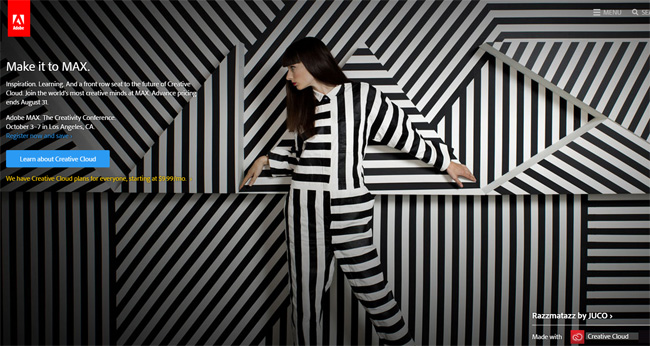
 Although Adobe Stock has only been in the industry for more than a couple years, it already has one of the largest stock photo libraries in the market. Acquiring Fotolia in 2014, customers now have access to over 40 million high quality images from the contributors of the previous stock site. Check more info here. On the other hand, the newer and more attractive website is built into the Creative Cloud software so creatives can purchase, access, and manage images right inside their favorite desktop apps.
 If you are looking for a budget-friendly alternative, Stock Photo Secrets Shop should be on top of your list. Their pricing plan platform is accessible to any size business, small or large. It also fits the budget or novice content developers and creative professionals. The stock site offers a wide variety of choices that look and feel natural.
 Since Getty Images acquired iStock, the stock photo agency has fine-tuned its image collection and pricing platform. They offer royalty-free images, illustrations, and video clips that will make you stand out. Their selection of high-quality hipster stock photos is also remarkable. To date, you can download about a hundred images in that theme.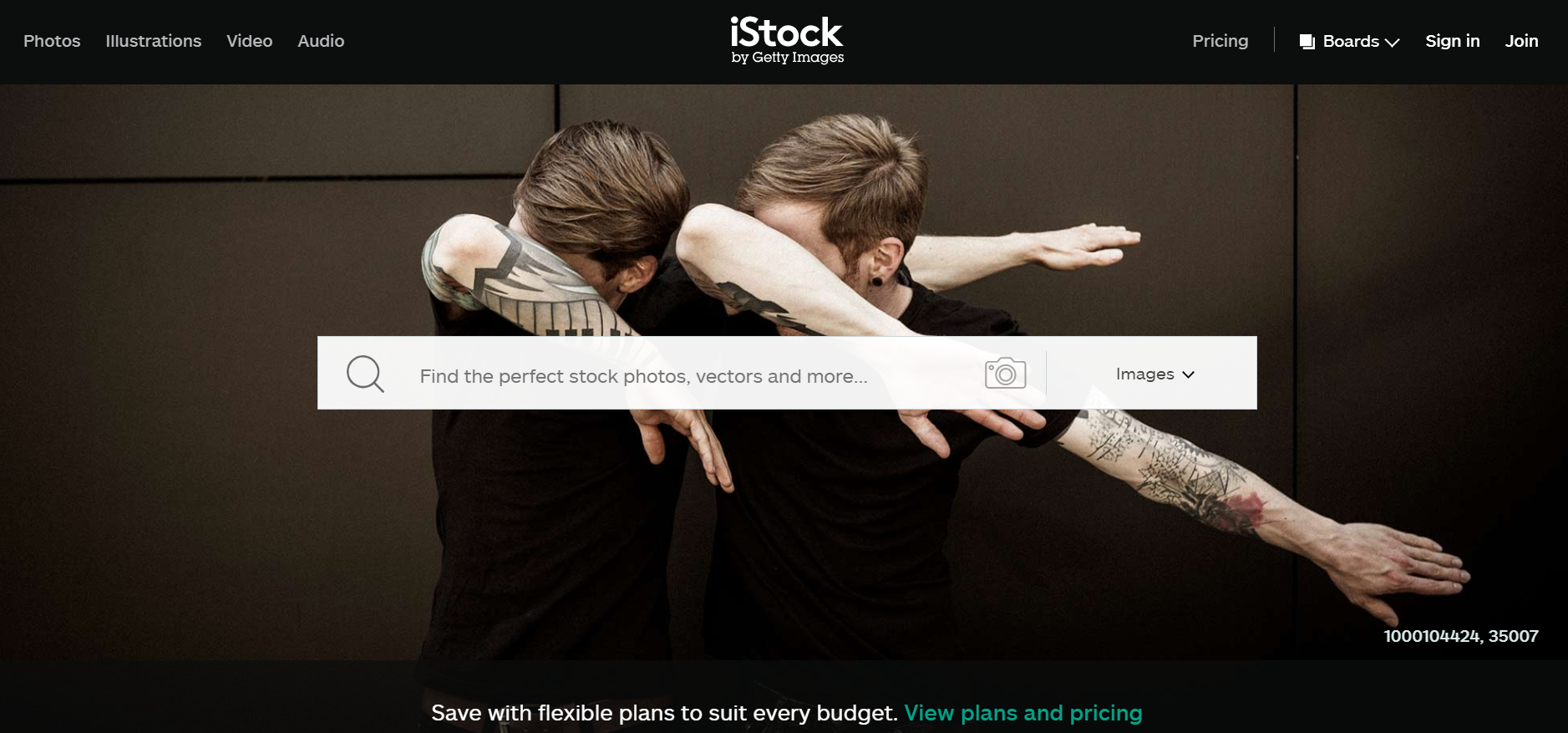
 If you are looking for stock assets to power your creativity, Shutterstock has over 300 million royalty-free images, video clips, and audio in their library. They boast their Collections of People, which include the portrait and snapshot of all types of individuals, including hipsters. They also have one of the most user-friendly interfaces, making it easy to find what you are looking for.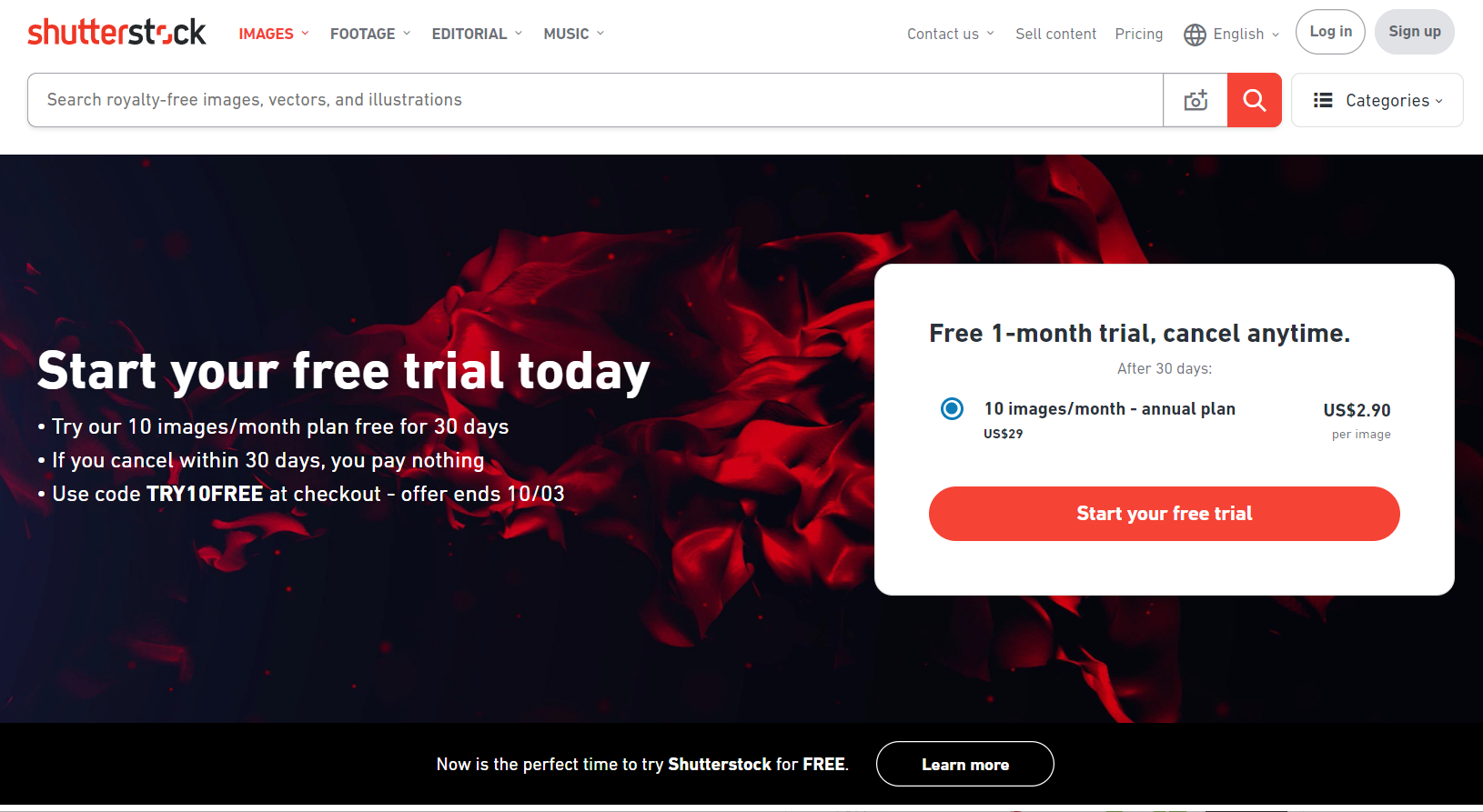
 If you like your images European style, Adobe Stock boasts a selection of high-quality photos that align with the level of quality you expect from the software company. They have over 80 million stock photos, about 2 million of which are hipster images. You can purchase them with plans and prices that meet your needs.

 Adobe Stock photos are high quality, royalty-free images curated by Adobe, read our review here. They are world class images integrated with Creative Cloud applications such as Photoshop and Illustrator CC for easier and faster photo-editing jobs. Adobe acquired Fotolia to provide its users with a wider collection of images, videos, illustrations and graphics. In fact, it currently has over 45 million creative files in its library.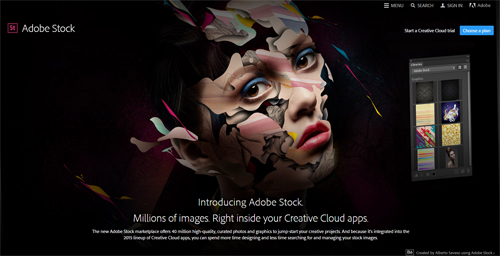
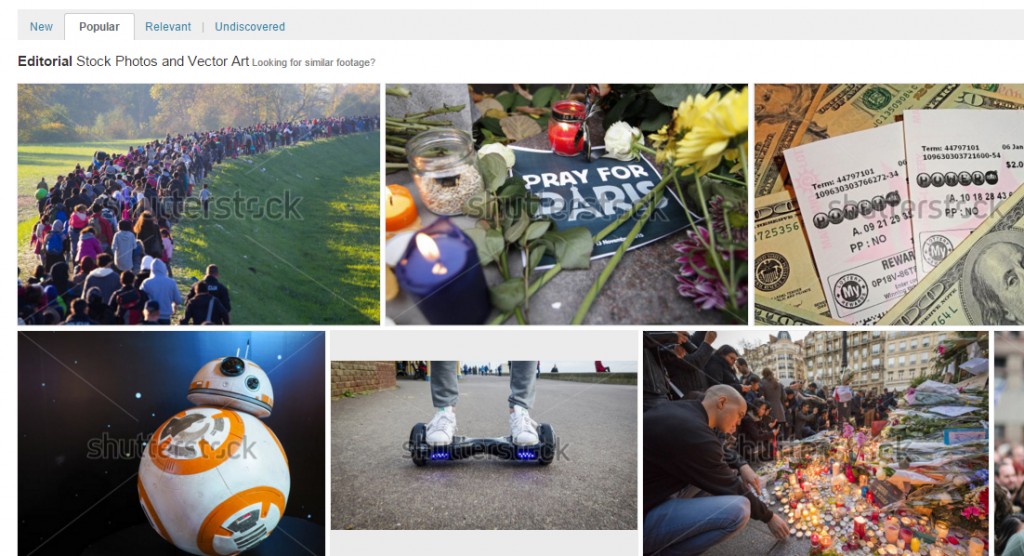
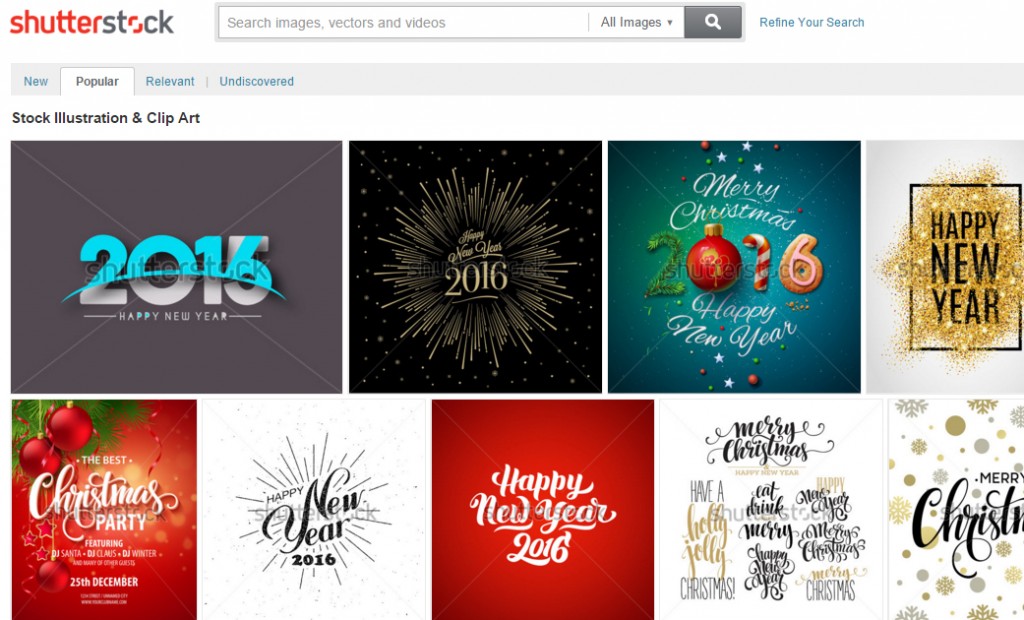 When Shutterstock offers you the two free files, it comes attached with a royalty-free license. Royalty-free licenses do not mean free of cost. People still pay for these images. Royalty-free means that every time you choose to use the image, you don’t need to pay a royalty. In other words, once it is tied to your account, it will always be tied to your account and you will be able to use it how or when you wish, free of charge.